Is Intuit Enterprise Suite Right for Your Growing Business?
If you’ve been running your business on QuickBooks for years, there’s a decent chance you’ve hit a moment where it started to feel a little tight around the edges. Maybe you opened a second location, added an entity, or brought on enough people that “who can see what” became an actual problem instead of a hypothetical one. That moment (where your books outgrow your software before your business technically outgrows QuickBooks) is exactly the gap Intuit built Enterprise Suite to fill.
It’s a question we’re hearing more often from clients: is it time to move up, and if so, to what? Here’s a practical look at what Enterprise Suite actually offers, and how to tell if your business is at that inflection point.
What Enterprise Suite Actually Is
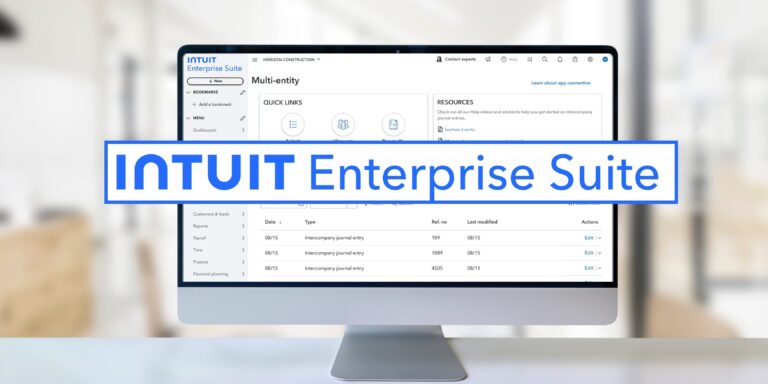
Enterprise Suite sits above QuickBooks Online Advanced in Intuit’s lineup, positioned as a step toward full ERP-level functionality without the cost and implementation timeline of something like NetSuite. It’s built for businesses that have outgrown a single-entity mindset, like those with multiple locations, subsidiaries, or franchises, and need the software to reflect that reality.
The main features tend to fall into a few buckets:
- Multi-entity management. Consolidated reporting across entities, with the ability to drill into any single one, instead of exporting data from separate QuickBooks files and stitching it together manually.
- Custom roles and permissions. More granular control over who can see and touch what, which matters as headcount grows and “everyone has admin access” stops being an acceptable answer.
- Deeper reporting and analytics. Custom report building and dashboards designed for the kind of variance analysis a finance team actually needs, not just the standard P&L and balance sheet.
- Built-in automation. Spend management, bill pay, and workflow automation baked into the platform rather than bolted on through a separate app.
For businesses that have been stacking third-party apps onto QuickBooks Online Advanced just to get multi-entity visibility, Enterprise Suite is Intuit’s attempt to bring that functionality in-house.
The Real Question: Do You Actually Need It?
Not every growing business needs to make this jump, and pushing a client toward it prematurely does nobody any favors. A few signals tend to show up when a business is genuinely in the market for something more than QuickBooks Online Advanced:
You’re consolidating manually. If closing the books every month means exporting reports from multiple QuickBooks files into a spreadsheet to get a consolidated view, that’s the clearest sign the software has fallen behind the business.
Permissions have become a liability. When more than a handful of people need access to financials, but the software can’t restrict what each person sees, you’re carrying risk that a more granular permission structure would eliminate.
Reporting requests are outpacing the tool. If your controller or CFO is regularly asking for custom reports that require manual workarounds, exports, or a separate BI tool just to answer basic questions, that’s a sign the reporting layer needs an upgrade.
You’re eyeing a full ERP but not ready for the cost or timeline. Some businesses aren’t ready for a NetSuite-level implementation, but still need more than QuickBooks Online Advanced offers today. Enterprise Suite is designed to sit in exactly that middle ground.
If none of that sounds familiar yet, there’s a good chance QuickBooks Online Advanced still has room to grow with you, and the smarter move is optimizing what you have rather than migrating.
Making the Move Without the Headache
For businesses that are ready, a migration to Enterprise Suite is still a project, not a toggle switch. Chart of accounts structure across entities, historical data, existing integrations, and user training all need to be planned rather than rushed. Firms that offer Client Accounting Services are often best positioned to guide this, not just because of the technical setup, but because they can tell a client honestly whether this is the right time, or whether the better move is fixing a process problem first.
If you’re weighing whether Enterprise Suite makes sense for your business, Intuit’s own overview of the platform is a useful starting point for understanding current pricing and feature tiers, since these details do shift as the product evolves. It’s also worth reading broader coverage of the mid-market accounting software landscape to understand how Enterprise Suite compares to other options at this level, rather than evaluating it in isolation.
The Bottom Line
Software should scale with your business, not the other way around. If QuickBooks has started to feel like it’s holding you back rather than helping you move faster, that’s worth a real conversation. Not necessarily a signal to jump straight to Enterprise Suite, but a prompt to figure out what your business actually needs next. That’s a conversation we’re glad to have.
Related Posts on Redmond Accounting CA