
Redmond Accounting Inc

Accounting Technology

photo of a calculator with a person trying to compare Gusto vs Rippling

Gusto vs Rippling: Which One is Right for Your Payroll?

Gusto vs Rippling: Which One is Right for Your Payroll? Payroll isn’t just about paying people. It’s the heartbeat of your business. That’s why it’s so crucial to use a payroll solution you can rely on; a solution that gives your business freedom to grow. While there are several solutions out there, we typically recommend […]

Gusto vs Rippling: Which One is Right for Your Payroll? Read More »

Rippling for payroll

Using Rippling for Payroll: A Practical Guide for Small to Mid-Size Companies

Using Rippling for Payroll: A Practical Guide for Small to Mid-Size Companies Payroll is one of those business functions that’s essential, sensitive, and sometimes, a little dread inducing. Mistakes cost money, missed filings invite penalties, and manual processes waste hours. Rippling is an all-in-one workforce platform that collapses HR, payroll, benefits, and even IT into

Using Rippling for Payroll: A Practical Guide for Small to Mid-Size Companies Read More »

Intuit Enterprise Suite

Migrating to Intuit Enterprise Suite: What to Expect

Migrating to Intuit Enterprise Suite: What to Expect   In our last blog  post, we introduced what Intuit Enterprise Suite (IES) is. This post focuses on the journey: how companies are moving to it, where it’s delivering the most value, and what questions to ask before diving in. Why Companies Are Moving to IES Early

Migrating to Intuit Enterprise Suite: What to Expect Read More »

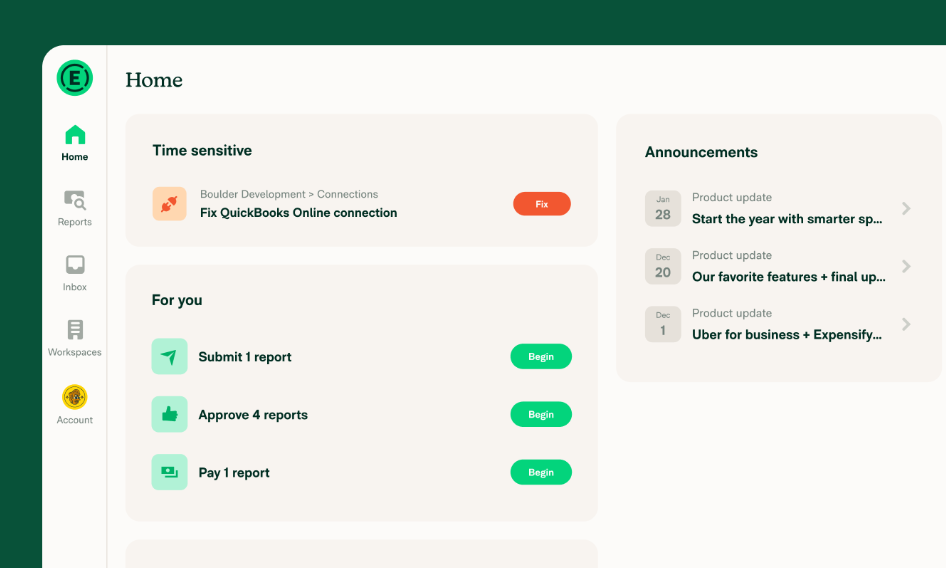
How to Optimize Remote Worker Expenses with Expensify

How to Optimize Remote Work Expenses with Expensify

Leveraging Expensify to Optimize Remote Work Expenses At least 20% of U.S. workers are working remotely. While the work-from-home (WFH) movement has many perks, it also brings risks, especially when it comes to remote work expenses.  Optimizing your current setup can help you stay compliant and maintain visibility and control over decentralized spending in your

How to Optimize Remote Work Expenses with Expensify Read More »

recurring revenue

Mastering Recurring Revenue: Setting Up Subscription Billing in QuickBooks

Recurring revenue is the lifeblood of subscription-based businesses. Whether you’re running a SaaS company, a membership program, or a service with monthly retainers, predictable income brings stability and growth potential. But recurring revenue also requires careful tracking, accurate forecasting, and streamlined billing processes. QuickBooks Online (QBO) offers the tools to handle subscription billing effectively, helping

Mastering Recurring Revenue: Setting Up Subscription Billing in QuickBooks Read More »

Reviewing inventory in Quickbooks Online

Reviewing Inventory in QuickBooks Online

After reconciling your bank, credit card, Accounts Receivable, and Accounts Payable balances, you might think your Balance Sheet is finally wrapped up. But if your company tracks inventory, there’s another critical step before you can close the books: Reviewing Inventory in QuickBooks Online. Inventory is one of the trickiest areas of accounting. It affects not

Reviewing Inventory in QuickBooks Online Read More »

receivables and payables

Closing the Books in QuickBooks: Reviewing Receivables and Payables

Once the bank and credit card accounts are reconciled, many people think the hard work is done. But if you stop there, you could still be leaving big gaps in your financial records. Reconciling the bank is only the beginning of closing the books. The next step in your checklist is to work through the

Closing the Books in QuickBooks: Reviewing Receivables and Payables Read More »

Open Items

Why Open Items Matter in QBO

You’ve made it to the $0.00 difference on your reconciliation screen in QuickBooks Online. That green checkmark is tempting. But before you click Finish now, there’s one more step you can’t afford to skip: reviewing your open items. Open items are the remaining transactions that haven’t been checked off as cleared during the reconciliation. Even

Why Open Items Matter in QBO Read More »

Troubleshooting reconciling

Troubleshooting Reconciling in QuickBooks Online

Troubleshooting Reconciling in QuickBooks Online: A Guide to Getting That $0.00 Difference   Reconciling your bank or credit card accounts in QuickBooks Online (QBO) is a key part of closing your books and ensuring accuracy. But what happens when the numbers don’t line up? One of the most common challenges is troubleshooting the current reconciling

Troubleshooting Reconciling in QuickBooks Online Read More »

troubleshooting the beginning balance

Troubleshooting the Beginning Balance in QuickBooks Online

In our last blog post we went over the crucial first step of reconciling your accounts in Quickbooks. Once you’ve selected the checking account to reconcile in QuickBooks Online (QBO), the next step is troubleshooting the beginning balance to verify that what is shown on screen matches the beginning balance on your bank statement. This

Troubleshooting the Beginning Balance in QuickBooks Online Read More »