Simplifying Bill Creation With Bill.com’s IVA
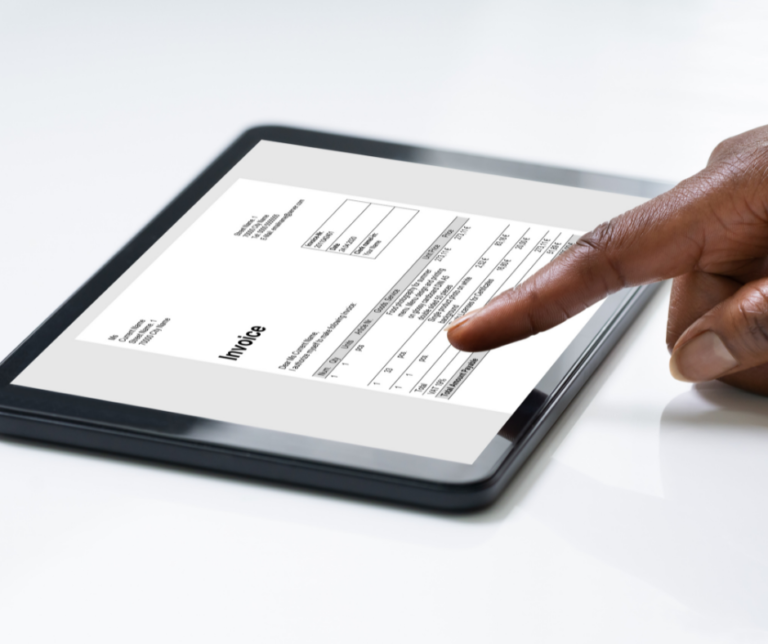
Did you know that Bill.com has simplified the payment process? Not only that, they have made it even smarter which saves you time and is more efficient, through their added feature, Intelligent Virtual Assistant (IVA).

How does the IVA work?
Basically, the IVA has built in artificial intelligence (AI) that begins the bill creation process as soon as an invoice hits your inbox! The AI built into the IVA detects pertinent information from the invoice to assist you in expediting the bill management process. The IVA continuously learns from the various invoice formats received into your inbox and continues extracting the data at greater speeds and accuracy allowing you to have a more efficient bill payment process.
Additional IVA Features
Auto Separate Functionality
Bill.com has a couple more features built into the IVA to speed up your bill creation process. Receiving multi page invoices just got easier. The IVA detects has the ability to identify individual invoices within the multi pages and splits each one separately. No more manual maneuvering to organize the invoices. Use the auto-separate feature and your invoice is appropriately split. How awesome is that!
1-Click Feature
What’s the 1-click feature? Let us explain. The 1-click functionality diminishes the number of steps you have to take to save bills. This provides you the ability to save directly from your inbox with no extra steps. IVA shows you the captured details from your suggested bill in a preview screen. From here, you can choose to save with just one click. Or, if needed, you can easily make any necessary edits to update any fields within the bill and then save.
Invoicing Made Easier

Leveraging IVA with the auto-separate and 1-click functionality allows you to work smarter, not harder. RAI is dedicated to fueling your success through automation and insight. We reduce your accounting workload so you have more time for everything else. Find a solution that saves you time by scheduling an appointment with us: LET’S MEET
Related Posts on Redmond Accounting CA
-
Are QuickBooks Online and Bill.com the same?Are QuickBooks Online and Bill.com the same? QuickBooks Online and Bill.com are not the same process, but they can be integrated to work together to streamline your accounting and bill payment workflows. QuickBooks Online is a cloud-based accounting software that allows businesses to manage their finances, including tracking income and expenses, invoicing, and generating financial reports. It also offers features…
-
Manage Cash Flow with Bill.Com Pay by CardManage Cash Flow with Bill.Com Pay by Card Bill.com has rolled out a new feature that provides you the freedom to pay how you want. Introducing, Bill.com Pay by Card. What Does This Mean for You? Now you can pay vendors by credit card even if they don’t typically accept cards. So, earn rewards and your favorite perks (points, miles,…
-
Bill.com’s New Interface (1 of 2)Bill.com’s New Interface (1 of 2) You’ve heard us preach about the benefits of paying vendors by using online bill pay solutions. Bill.com is our favorite app for this. Over 3 million users process more than $60 billion in payments annually using Bill.com. This app allowed us to stop printing checks, obtaining signatures, stuffing envelopes, affixing stamps, and taking them…
-
This is how we do things hereThis is how we do things here In 2010, I created a workflow app. I didn’t know then that it would go so far. I simply started building what I needed - a way to set up tasks, assign them to clients and staff, and have them repeat at different intervals. I also needed every task to contain step-by-step instructions,…
-
Automate & Accelerate: Effortless Invoice Management for Small Law FirmsAutomate & Accelerate: Effortless Invoice Management for Small Law Firms Invoice management for small law firms can mean the difference between having the cash flow to hire new lawyers or paralegals, market and grow your firm and struggling to keep the lights on. Cash flow and invoice management impact businesses across industries: 20% of invoices are two weeks overdue 33%…
-
How Does Bill.com Work?What is Bill.com and How Does It Work? You've heard of the name BILL, or Bill.com, but what is it and how does it work? If you're a business owner who has bills, expenses and invoices, it's a powerful tool that can help you take control of your business. What is Bill.com? BILL (the company rebranded from Bill.com), is a…
-
QuickBooks Tip: Receipt CaptureQuickBooks Tip: Receipt Capture It is important to keep supporting documentation on the use of a company's funds, whether funds are spent via cash, company check, wire, ACH or company credit card. Many businesses use a company credit card for making purchases because of the ease of making payment. Recording the purchase activity on credit cards can be automated by connecting…
-
How Bill.com Can Help Your Small Business AccountingHow Bill.com Can Help Your Small Business Accounting As a small business owner, you probably (most likely) run every part of your business. You don’t just do the services or make the products that started your company. You do the marketing, social media, accounting, and more. Even if you have a small team, you’re still probably wishing you had more…
-
5 Tips for Working From Home5 Tips for Working From Home This has been a year of change for so many of us. A large portion of people are now working from home. It’s interesting to me, because I’ve been providing virtual bookkeeping and accounting for years. Redmond Accounting is a cloud accounting and bookkeeping firm, so we operate remotely. We’re paperless and rarely need…