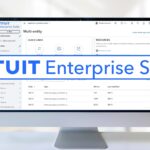

Migrating to Intuit Enterprise Suite: What to Expect
In our last blog post, we introduced what Intuit Enterprise Suite (IES) is. This post focuses on the journey: how companies are moving to it, where it’s delivering the most value, and what questions to ask before diving in.
Why Companies Are Moving to IES
Early adopters fall into two main groups:
- Growing businesses that have outgrown QuickBooks Online or Desktop Enterprise but find full ERPs overkill.
- Construction and project-based firms seeking deeper cost tracking and multi-entity visibility.
The common thread? Complexity. These companies deal with multiple entities, projects, and reporting dimensions. They need better data without sacrificing usability.
One controller summarized it perfectly on Reddit:
“Multi-entity management was pretty slick… definitely worth digging into those features during your call.”
What Migration Looks Like
Moving to IES is a big shift in mindset, along with your data conversion. A typical migration involves five stages:
- Assessment
Identify current pain points: multiple files, inconsistent charts of accounts, manual consolidations, or messy project tracking. - Mapping & Design
Define how entities and dimensions will translate inside IES. Many organizations simplify or re-standardize their chart of accounts during this step. - Data Migration
Historical data from QuickBooks or other systems is imported using IES’s data import tools. Clean, structured data is key. - Testing & Training
Train staff on multi-entity workflows, dimensions, and AI features. Most teams adapt quickly thanks to the platform’s familiar Intuit interface. - Go-Live & Optimization
The real magic happens post-launch! Once automation agents begin learning patterns, efficiency gains start to compound.
Early Wins: Where IES Is Shining
Consolidation time is being cut dramatically. CFOs report month-end closes that once took two weeks now take days.
Dimensional reporting gives finance teams real-time insight across entities, jobs, or cost centers. No more endless Excel merges!
AI agents reduce manual entry and reconciliation work, flagging anomalies automatically.
Construction-specific workflows (change orders, progress billing, project profitability) integrate field and office operations.
The result is visibility and control without ERP bureaucracy.
Implementation Best Practices
IES is new, so thoughtful implementation matters. Here are lessons from early rollouts:
- Engage a partner: Certified Intuit partners familiar with multi-entity setups can guide design decisions.
- Clean your data: Before importing, clean up your data. Legacy inconsistencies multiply fast in consolidated environments.
- Standardize processes early: Agree on naming conventions for entities, projects, and dimensions.
- Pilot with one entity or department before full rollout.
- Leverage automation gradually: Start with simple reconciliations, then expand to forecasting and AP/AR automation.
IES’s flexibility means you can evolve features as your team matures.
Industry Spotlight: Construction
Construction firms are seeing particularly strong returns.
In one early case, a regional general contractor used IES to:
- Consolidate four entities into one unified system.
- Automate change-order tracking.
- Replace manual cost spreadsheets with live dashboards.
The CFO noted that they reduced project-cost variance reporting from five days to five minutes. That’s the power of dimensions and automation working together.
Common Questions & Considerations
Q: Is IES replacing QuickBooks Desktop Enterprise?
Not directly. Desktop Enterprise remains available, but IES is the next-gen, cloud-native evolution for companies ready to move beyond file-based systems.
Q: How mature is the integration ecosystem?
It’s growing fast. IES supports open APIs and already connects to many apps familiar to QuickBooks users.
Q: What about pricing?
Pricing varies based on entities and users. It’s higher than QuickBooks Online Advanced but generally lower than a full ERP like NetSuite or Intacct.
Q: How steep is the learning curve?
Surprisingly mild. The interface feels familiar, though concepts like “dimensions” require a short learning period.
The ROI Equation
Migrating to a new platform is an investment, so CFOs naturally ask: what’s the return?
For most mid-market businesses, ROI comes from:
- Time saved on consolidation and reporting.
- Reduced manual errors.
- Improved decision-making through real-time visibility.
- Scalability: Adding new entities or divisions without new systems.
Many early users report the platform “pays for itself” within the first year through efficiency gains alone.
How IES Fits into the Broader Intuit Ecosystem
IES is part of a growing Intuit ecosystem that connects accounting, tax, and payroll through unified data and AI.
That means smoother collaboration between finance, tax, and advisory teams and potentially new capabilities for firms managing multiple clients or subsidiaries.
What’s Next for IES
Intuit is expected to expand IES beyond construction into verticals like professional services, real estate, and nonprofits.
New AI features and automation layers are already on the roadmap. From intelligent forecasting to predictive cost overruns.
If the company continues on this path, IES could become the platform that finally merges the ease of QuickBooks with the power of enterprise systems.
Final Thoughts
For many mid-market businesses, growth has long meant facing a painful choice: live with the limits of small-business software or endure the complexity of full ERP systems.
Intuit Enterprise Suite offers a third path: enterprise-level capability with cloud-era simplicity.
The early results are promising, and adoption is accelerating.
So, whether you’re an accounting professional exploring new tools or a CFO planning for scale, now is the time to take a serious look at IES. The future of mid-market finance may already be here.