Be Your Own Bookkeeper
When it comes to doing your own bookkeeping, the details are important. It is essential to take it slowly and methodically. Ensuring that everything is done correctly the first attempt will save you so much time and headache later.
When it comes to bill pay, be careful!
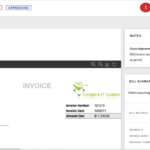
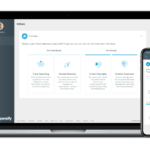
Something you have to be really careful about is bill pay. When I first started Redmond Accounting, bill pay was a headache. I would constantly worry about forgetting something. Luckily, the accounting software that I use today to input bills (Bill.com) does most of the work for me. For example, after uploading a document, it can autofill the fields for me instantly. The convenience of this is amazing, but there can still be errors. For example, often the software doesn’t pick the right approver or chooses the wrong account for categorization.
While this software reduced a lot of headaches, I still had fears around making mistakes. As a result, I created a checklist, which has significantly reduced error.
Here is a summarized version of the steps in my process.
The bill pay process:
- Upload documents
- Process inbox
- Add new vendors
- Verify vendor information
- Verify recent bills
- Modify page order
- Note fast pay
- Mark bills paid
- …
You get the point! Each step has in-depth descriptions and links to helpful pages if I need to troubleshoot. This means that if I need to have someone else do my bookkeeping temporarily or if I decide to entirely outsource the work to someone else, the person working in my place will know exactly what to do and how to do it.
The Redmond Accounting team has compiled all of my checklists together to help you run your business efficiently. The range goes far beyond the basics of bookkeeping, including procedures for setting up new cloud integration. We’re enabling clients to do their own books and go entirely virtual on their own, for much less than it would cost to have someone else do it.
We are so excited to be able to share this with you all! If you’re looking to improve your bookkeeping workflow, schedule a complimentary consult so we can learn more about your business’s needs. We’d love to help you empower your business through accounting expertise and insight.
Related Posts on Redmond Accounting CA
-
Approving Bills With Bill.com Approval ProcessApproving Bills With Bill.com Approval Process Last week we spotlighted one of our favorite apps for online bill pay to vendors - Bill.com. We showed you their new interface along with this checklist with step-by-step instructions for users approving bills. Let’s take a closer look. Our experts can automate your bill pay process. Schedule a free consultation! Schedule now The…
-
Contemplating a Conversion to QuickBooks OnlineContemplating a Conversion to QuickBooks Online QuickBooks is America's most popular small business accounting software. Millions of businesses use either QuickBooks Desktop (install the program on your computer) or QuickBooks Online (log in from a browser). In recent years, QuickBooks Online has become the favorite for new businesses. With its anywhere-access and automatically-updated features, even existing businesses using QuickBooks Desktop are converting to QuickBooks Online.…
-
What Makes Redmond Accounting Different?What Makes Redmond Accounting Different? Are you a small business in need of a new accountant? Many companies today work out of their homes or their business just doesn’t quite need a full-time accountant. That being said, it can be easy to feel you can put off hiring someone to manage the accounting in your business. 60% of small business…
-
What You Should Know for Year-End Accounting and BookkeepingThe end of the year is approaching and businesses are wrapping up and preparing for next year. Closing out the books can be quite a scramble. Don’t start the new year off behind the ball. Here are the top 9 accounting highlights to consider going into 2021: Higher 401(k) contribution limits. If you’re looking to do some tax planning to…
-
Expensify - Expense on the GoExpensify - Expense on the Go When it comes to tracking travel expenses, I am my own worst enemy. It can be so easy to crumple a receipt and forget about it. Then, at the end of the month when I go over expense reports I kick myself for it. One solution that works well for me is to go…
-
Your Questions about QuickBooks Bank Feed AnsweredYour Questions about QuickBooks Bank Feed Answered As a small business owner, you know how valuable your time is and how little you have to spare. You’re running the show, and whether you have employees or not, it can feel like you’re doing everything yourself. This includes doing the payroll, accounting, and banking for your business. If you’re doing your…
-
What is Outsourced Accounting? - RedmondAccounting.comWhat is Outsourced Accounting? One engineer builds software; another builds bridges. One attorney works in civil legalities; another pursues criminal cases. One doctor is a surgeon while another may specialize in primary care. The accounting profession also has specialties such as Tax, Audit, and Client Accounting Services (CAS). What is CAS? It's the equivalent of a business' accounting department, performed…
-
Workflow: Company Credit CardsWorkflow: Company Credit Cards Businesses generally follow best practices for purchasing goods and services by using controls such as purchase orders, check requests, and approval for vendor bill payments. But what happens when they pay by credit card? Our experts can automate your company credit card process. Schedule a free consultation! Schedule now Some businesses have one or two company…
-
New Year, New YouNew Year, New You These last few weeks of the year are the perfect time to implement improvements in your business processes so you can start the new year on the right foot. Move to QuickBooks Online to leverage improved access and integration Automate data entry with bank feeds Go paperless with your bill pay process Take the hassle out…