Is Expensify for Small Businesses?
Expensify is ideal for small businesses! It’s a scalable, easy-to-use expense-management application and receipt-scanning solution.
Expensify is a product that works for everyone. Whether you’re a freelancer, a sole proprietor, or managing dozens of employees, Expensify can help you manage your expenses easily.

What Can It Do?
SmartScan
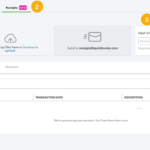
Expensify’s most notable feature is its high-quality mobile receipt scanning and optical character recognition (OCR) technology. SmartScan uses OCR on all receipts scanned into the application, which enables it to easily extract the text that is on the image.

Let’s be clear of exactly how well SmartScan works. A receipt scan can mean using your phone to snap a picture of a physical receipt, then uploading it to your Expensify account, but Expensify goes much further than that. It uploads and categorizes all types of receipts:
- Emailed receipts forwarded to your Expensify account
- Screenshots
- Credit card account syncing
- Even third-party app uploads
Expense Reporting
Each time a receipt is uploaded or scanned into Expensify, an expense report is automatically created, with the option to submit the report for reimbursement immediately or add additional expenses before submitting it.
Mileage tracking, per diem management, and bank and credit card transaction importing are also available in this expense management solution.

Ease of Use
The main entry screen provides you with easy access to all the features available in your plan. After your first log in, a list of prompts indicate the items that need to be completed prior to using the application, guiding you along the way.
Expensify also makes it easy for your employees to get reimbursed quickly, using either the ACH payment option or the Expensify Card. For those using the card, funds will be placed on the card once an expense has been approved.
Expensify Serves the Expense Management Needs of a Small Business
The mobile app is easy to use and offers full functionality. The most obvious benefit of using Expensify is that you and your employees will use it.
Organize receipts with a single click. Expensify offers an intuitive user interface that you’ll be comfortable using within minutes. Expensify can help you manage your expenses easily.
We Can Help You Get Started
On the surface, Expensify looks to be a tool of convenience but used to its full capabilities, Expensify has features to be used as a dynamic accounting and strategic planning tool in your business.
If you haven’t already added Expensify to your accounting system, connect with us today! This priceless platform is extremely useful to any business, big or small. We can get you set up and provide you with the ongoing support needed to ensure you’re maximizing the use of Expensify.
Schedule a complimentary consultation today. Let’s plan how to help you and your business grow.
Related Posts on Redmond Accounting CA
-
The Expensify CardThe Expensify Card The Expensify Card is a corporate credit card that is designed to simplify the expense management process for businesses. The card is issued by Expensify that provides expense tracking, reporting, and reimbursement solutions for businesses. How does the Expensify card work? The Expensify Card provides a seamless way for employees to make purchases, capture receipts, and reconcile…
-
Is Expensify Right for My Business?Is Expensify Right for My Business? All business owners and bookkeepers know the headache of sorting through receipts and the nightmare that expense tracking can create. Creating expense reports takes a lot of time and, if not done right, can cause expensive mistakes. Time is money. Consider the time it takes an employee to submit expense reports. That is time…
-
How are Small Businesses Using Quickbooks?How are Small Businesses Using QuickBooks? Every small business is unique and deals with numerous customers and handles multiple transactions every day. QuickBooks is a popular small business accounting software that businesses use to manage income and expenses and to keep track of the financial health of a business. Let's explore some of the key features of this software and…
-
How To Use Expensify On Your Mobile DeviceHow To Use Expensify On Your Mobile Device We live in a virtual world. Think about the last time you wrote something down pertaining to your job that you physically had to hand in? Our lives revolve around social media, emails, spreadsheets, and anything remotely connected to the internet. More recently, we’ve abandoned our desktop computers for smartphones, tablets, and…
-
Manage Cash Flow with Bill.Com Pay by CardManage Cash Flow with Bill.Com Pay by Card Bill.com has rolled out a new feature that provides you the freedom to pay how you want. Introducing, Bill.com Pay by Card. What Does This Mean for You? Now you can pay vendors by credit card even if they don’t typically accept cards. So, earn rewards and your favorite perks (points, miles,…
-
5 Things About Expensify You May Not Know5 Things About Expensify You May Not Know How would you like to reduce the time you spend on Expense Management by 83%? That’s what you could do with Expensify! Expensify is highly rated by CNBC and PCMag. It is used by companies like Pinterest, Stripe, Whole 30, and Warby Parker. It is also used by small businesses and contractors. …
-
QuickBooks Tip: Receipt CaptureQuickBooks Tip: Receipt Capture It is important to keep supporting documentation on the use of a company's funds, whether funds are spent via cash, company check, wire, ACH or company credit card. Many businesses use a company credit card for making purchases because of the ease of making payment. Recording the purchase activity on credit cards can be automated by connecting…
-
How to Submit Expenses on ExpensifyHow to Submit Expenses on Expensify Here at Redmond Accounting, we love Expensify. We love it so much that we offer setup and support from our accounting technology experts. Why is it great, you ask? Because it can eliminate HOURS, even DAYS', worth of expense reporting for your company. This advanced automated expense platform simplifies and reduces errors (who doesn’t…
-
What Makes Small Business Accounting Unique?Small businesses often face unique accounting challenges that differ from those of larger businesses. The differences between small business accounting and large business accounting are mainly due to the size, complexity, and regulatory requirements of the business. Small businesses have simpler accounting needs, while large businesses are more complex. Small businesses typically have fewer employees and lower revenue, while large…