The Expensify Card
The Expensify Card is a corporate credit card that is designed to simplify the expense management process for businesses. The card is issued by Expensify that provides expense tracking, reporting, and reimbursement solutions for businesses.

How does the Expensify card work?
The Expensify Card provides a seamless way for employees to make purchases, capture receipts, and reconcile expenses in real-time. To use the Expensify Card, you must first have a corporate account with Expensify and be authorized to use the card by your company’s administrator. Let’s discuss the steps:
- Approval: The company administrator approves employee expense reports and sets spending limits on individual cards.
- Card Issuance: Once approved, the company administrator issues a virtual or physical Expensify Card to the employee.
- Spending: Employees can use the Expensify Card to make purchases for work-related expenses.
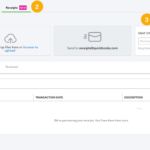
- Receipt Capture: Employees capture receipts by taking a picture of them and attaching them to the corresponding transaction in the Expensify app.
- Automatic Categorization: Expensify automatically categorizes the expenses based on merchant, category, and other relevant factors.
- Submit the expense report: Once you have captured all the necessary receipts and expenses, submit the expense report to your company’s administrator for approval.
Overall, the Expensify Card streamlines the expense reporting process by allowing you to make purchases with a single card and capture and categorize receipts in real-time through the Expensify app. This helps you stay organized.
Is it easy to reconcile the Expensify card?
Reconciling the Expensify Card is typically easy and straightforward. The Expensify app has built-in features that help you reconcile your expenses quickly and efficiently.
Connect Your Accounts
You can connect your Expensify account to your company’s accounting software, such as QuickBooks.
Review Transactions
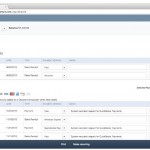
Expensify will automatically import your card transactions and categorize them based on merchant, category, and other relevant factors.
Match Receipts
Expensify allows you to easily match receipts with transactions to ensure accurate expense tracking and reporting.
Reconcile Expenses
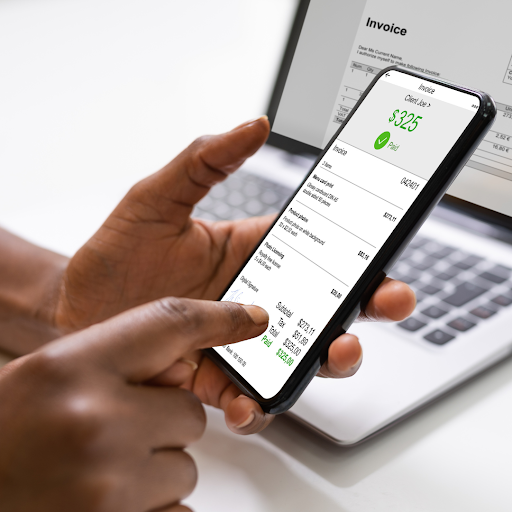
Once you have reviewed and matched all your transactions and receipts, you can reconcile your expenses with your accounting software.
Generate Reports
Expensify makes it easy to generate detailed reports that show all your expenses and reimbursements, making it easy to stay on top of your finances.
We Can Help You Get Started
Overall, the Expensify Card is designed to simplify expense management for businesses by providing a streamlined solution for tracking, reporting, and reimbursing expenses made with the card.
The card offers several features to help businesses manage their expenses. If you aren’t using the Expensify Card or the app, connect with us today!
Schedule a complimentary consultation. Let’s plan how to help you and your business grow.
Related Posts on Redmond Accounting CA
-
Manage Cash Flow with Bill.Com Pay by CardManage Cash Flow with Bill.Com Pay by Card Bill.com has rolled out a new feature that provides you the freedom to pay how you want. Introducing, Bill.com Pay by Card. What Does This Mean for You? Now you can pay vendors by credit card even if they don’t typically accept cards. So, earn rewards and your favorite perks (points, miles,…
-
Workflow: Company Credit CardsWorkflow: Company Credit Cards Businesses generally follow best practices for purchasing goods and services by using controls such as purchase orders, check requests, and approval for vendor bill payments. But what happens when they pay by credit card? Our experts can automate your company credit card process. Schedule a free consultation! Schedule now Some businesses have one or two company…
-
Is Expensify for Small Businesses?Is Expensify for Small Businesses? Expensify is ideal for small businesses! It’s a scalable, easy-to-use expense-management application and receipt-scanning solution. Expensify is a product that works for everyone. Whether you’re a freelancer, a sole proprietor, or managing dozens of employees, Expensify can help you manage your expenses easily. What Can It Do? SmartScan Expensify’s most notable feature is its high-quality…
-
QuickBooks Tip: Receipt CaptureQuickBooks Tip: Receipt Capture It is important to keep supporting documentation on the use of a company's funds, whether funds are spent via cash, company check, wire, ACH or company credit card. Many businesses use a company credit card for making purchases because of the ease of making payment. Recording the purchase activity on credit cards can be automated by connecting…
-
Get Paid Faster!Get Paid Faster! QuickBooks Payments is Intuit's service for processing customer payments in QuickBooks Online. This add-on service was previously know as QuickBooks Merchant Services, Intuit Payment Solutions or Intuit Payment Network. It is now called QuickBooks Payments. QB Payments allows businesses to accept both credit card and bank draft (ACH) payments from customers. QuickBooks Payments powers these payment options:…
-
5 Things About Expensify You May Not Know5 Things About Expensify You May Not Know How would you like to reduce the time you spend on Expense Management by 83%? That’s what you could do with Expensify! Expensify is highly rated by CNBC and PCMag. It is used by companies like Pinterest, Stripe, Whole 30, and Warby Parker. It is also used by small businesses and contractors. …
-
How to Manage Cash Flow in a Small BusinessHow to Manage Cash Flow in a Small Business Cash flow can make or break a business. In fact, a U.S. Bank study found that 82% of failed businesses cited cash flow as a contributing factor to their demise. We don’t want your business to be another statistic. Learning how to manage cash flow in a small business will take…
-
Take Action Against Fraud: 5 Things You Can Do TodayTake Action Against Fraud: 5 Things You Can Do Today Watch our webinar all about Take Action Against Fraud: 5 Things You Can Do Today Fraud is something no one wants to think about. However, businesses of 100 or less employees suffered $150,000 in losses on average. AND it typically takes up to 14 months to detect the fraud. Watch…
-
Is Expensify Right for My Business?Is Expensify Right for My Business? All business owners and bookkeepers know the headache of sorting through receipts and the nightmare that expense tracking can create. Creating expense reports takes a lot of time and, if not done right, can cause expensive mistakes. Time is money. Consider the time it takes an employee to submit expense reports. That is time…